


Beyond Aesthetics: How AI Is Transforming Creative Strategy, Branding, and UX Decisions
Artificial intelligence (AI) is becoming more popular and widely used, but many people worry it could lead to job losses. Learn more about how AI is being applied in design and marketing from industry research by IBM AI Insights.
Although that might be true in a few cases, AI is facilitating many mundane tasks and adding a touch of creativity and ingenuity for those in the creative field, and that goes beyond the aesthetics. In fact, studies from McKinsey show that AI often enhances decision making rather than replacing creative roles. You can also see how this connects with modern web design and UX strategy services at 11th Floor Design.
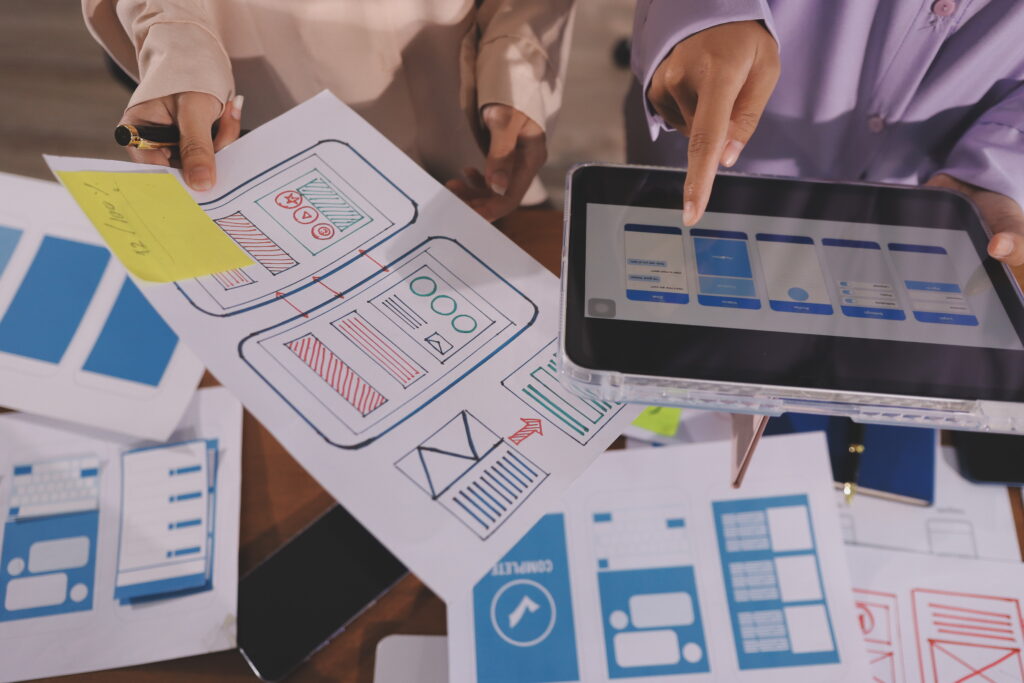
AI in The Design Process
In the past, the creative strategy involved design meetings where team members shared opinions and wireframed tasks. Now, with the premise of AI, it has taken a different tone. For example, fixing a bad workflow required updates that also entailed financial costs, but with the advent of AI, this has all changed.
AI has given designers a deeper understanding of user behaviours before they even launch a design or a redesign. For example, AI software now allows designers to test, adjust, and predict user behaviour, rather than react later. Faster iteration reduces the risk of the design being rejected. This aligns with established UX principles from the Nielsen Norman Group. This, in turn, has caused UX design to shift from static to dynamic.

Practical AI Cases that Influence Decisions
When designing a layout, AI plays a pivotal role by providing designers with insight even before they begin. For example, AI tools can observe user and designer session behaviours and detect friction even before a team sees its impact. This allows designers to prioritise the redesign workflow. Tools like Hotjar and Microsoft Clarity are common examples.
AI also has the added advantage of analyzing user behaviour; it can cluster actions, requests, and navigation trends to show which features people use, which, in turn, allows designers to go with the flow and design accordingly instead of simply making assumptions. A concept widely supported by UX research from the Interaction Design Foundation.
Designers working on a design project, no matter what it may be, no longer simply start from blank boards; thanks to AI, they can design and tailor their projects based on previous workflows and similar product experiences. AI tools not only generate and draft wireframe options but can also propose different layout suggestions. Platforms like Figma AI, Framer AI, and Uizard are starting to support this. This allows designers to save time and money, as they can easily present a prospective client with several layout suggestions and have them choose their favourite.
One of the most ingenious features of AI is its real-time operation; to that end, it can recommend and apply small changes to design layouts. It can make small changes to copy, call to action, layout blocks, and even navigation components, thereby preventing designers from having to redesign and delaying the work output.

How AI is Facilitating Design Efficiency
When testing a new design, the process used to take weeks; with the advent of AI technology, designers can instantly update the workflow, reorder components, and simplify steps without waiting for post-release fallout. Many teams combine this with A B testing best practices.
AI uses predictive analysis to reduce confusion. After all, design and product features do not fail because of a single faulty feature; they fail when decision-makers cannot see friction building. AI uses predictive analysis to identify where confusion occurs, by determining which factors would slow users down. A concept reinforced by research from Google UX Playbooks.
Another added advantage of AI is that it allows designers to remove the guesswork from the design process. Designers usually shape their design roadmap around assumptions or opinions, AI clusters patterns, click depth, and user behaviour to show designers where to allocate planning effort.
Because AI optimises the design process, there is less content and design waste. Every design takes time and sometimes requires changes or updates; AI removes the guesswork and prevents designers from building workflows that users ignore. According to Harvard Business Review, organizations that integrate AI into decision making reduce inefficiencies while improving long term outcomes.
It is clear that AI impacts design decisions beyond aesthetics; it enables teams to avoid overbuilding design features and enhances the planning process, making it less reactive. One of the biggest advantages of employing AI is that it enhances user retention and reduces design costs by preventing multiple redesigns, thereby saving time and money!
Want to see how AI can improve your website, UX, and creative strategy in practical ways? Talk with our team at 11th Floor Design and get a tailored recommendation for your next project.
Leave a Reply